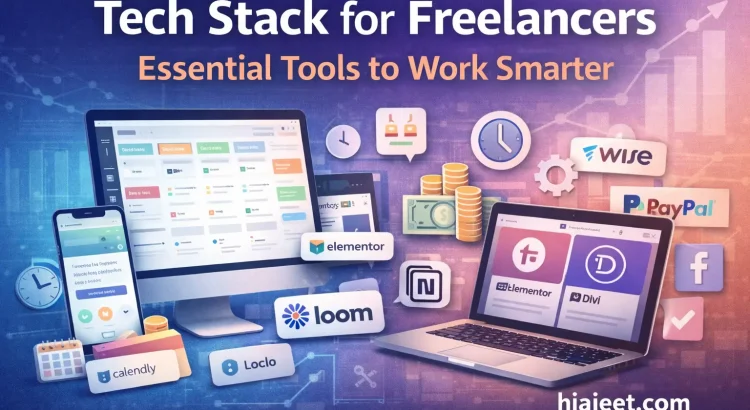
As a freelancer with over 14+ years of professional industry experience of experience building digital solutions at hiajeet.com, I’ve learned that the difference between a struggling freelancer and a successful consultant isn’t just talent — it’s systems.
Talent gets you started. Systems keep you profitable and sane.
When you’re managing global clients, you can’t afford to lose track of a task or overpay on transaction fees. To build a sustainable career, you need a tech stack that works as hard as you do.
In this guide, I’m breaking down the essential tools I recommend for managing a high-growth freelancing career.
1. Mastering Project Management: Stay Organized, Stay Profitable
When you move from “doing gigs” to “running a business,” your brain is no longer a reliable place to store deadlines. You need a single source of truth.
- Monday.com: My top pick for visual thinkers. It’s highly customizable and lets you track project phases from discovery to deployment. It’s also excellent for showing clients exactly where their project stands.
- HubSpot: Known as a CRM, but extremely useful for freelancers managing a sales pipeline. It helps track outreach, follow-ups, and how consulting leads convert.
2. Web Development & Design: Speed Meets Power
Efficiency matters. You want to deliver bespoke-feeling websites without reinventing the wheel every time. Within the WordPress ecosystem, two builders consistently stand out:
- Elementor: Ideal for rapid prototyping and high-end design flexibility. Perfect for startups that need to launch quickly.
- Divi: Excellent for cohesive brand layouts and long-term client management. Especially useful for established brands.
Pro Tip: Choose your page builder based on project complexity and the client’s ability to manage the site after launch.
3. Getting Paid: Maximizing Your Take-Home Pay
You work hard for your money. Don’t let unnecessary fees quietly erode your profits.
- Wise (formerly TransferWise): A game-changer for international clients. It offers real exchange rates and significantly lower fees than traditional banks or PayPal — especially for large milestones.
- PayPal: Convenient and familiar, but expensive. Best used for smaller or quick transactions rather than primary invoicing.
4. Bonus: Tools Every Freelancer Needs
To truly level up your workflow, I recommend adding these tools:
- Calendly: Eliminate scheduling back-and-forth. Let clients book calls instantly.
- Loom: Replace long emails with short screen recordings. It builds clarity and trust fast.
- Notion: Create a personal knowledge base for code snippets, client notes, and business planning.
Final Thoughts
Tools are the foundation of freedom.
Managing a long-term freelancing career has taught me that when your projects are organized and your payments are optimized, you gain time — and clarity — to focus on solving real problems for clients.
Ready to take your digital presence to the next level? Whether you’re a startup or an established brand, I can help you build scalable solutions that deliver results.
- See My Work: Explore my Portfolio
- What Clients Say: Read my Testimonials
- Work With Me: View my Services